The best color analysis prompt makes ChatGPT describe your coloring before it labels it. Upload a bare-faced photo taken in window light, ask for the hue under your skin, your depth, and your contrast first, then your undertone and your two most likely seasons with a confidence rating. Run it again in a fresh chat on a second photo and keep only what repeats. If the decision behind the question is a hair color, start from a tool that measures your undertone and shows the shades on your own hair.
Get Glancely on iOSA hairstyle prompt asks a chatbot to draw. A color analysis prompt asks it to look, and that changes what a good prompt has to do. When you ask for a new haircut, a vague prompt gets you an ugly picture and you can see the problem. When you ask "what season am I?", a vague prompt gets you a confident, plausible label, and there's nothing in the answer to tell you it was a guess.
So the prompts below are built to make the model show its evidence. Each one asks for observations first and a verdict second, which turns a label you can only believe into a read you can check. They work as written in ChatGPT, Gemini, or Claude. If you want the theory behind undertone, depth, and chroma first, our guide to doing a color analysis with AI walks through it; this page is the prompt library.
Before You Prompt: The Photo Decides the Answer
No prompt can fix a photo that lies about your skin. Get these five things right and the prompts have something real to read:
- Indirect daylight. Stand facing a window, out of direct sun. Bathroom bulbs read warm and ceiling LEDs read cool, and either one will be reported back to you as your undertone.
- A white reference. Hold a plain sheet of printer paper at your collarbone. It gives the model a known white to compare your skin against, and it's the single cheapest upgrade to the whole exercise.
- Bare skin. Foundation, tinted moisturizer, and bronzer all exist to change the thing being measured. If you can't go bare, say what you're wearing in the prompt.
- No beautify mode. Turn off portrait lighting, skin smoothing, and any filter. Many phone cameras warm and smooth faces by default.
- Hair and eyes in frame. Pull your hair back from your face but keep some visible, with eyes open and looking at the camera. Contrast between skin, hair, and eyes is half of the season.
The Anatomy of a Color Analysis Prompt
Every prompt in this library has the same four parts. Drop one and the model fills the gap with its favorite habit, which is a flattering guess:
- The role and the standard. Tell it to act as a professional color analyst using the twelve-season system. This sets the vocabulary and stops it drifting into horoscope language.
- Observations first. Make it describe hue, depth, contrast, and clarity before it concludes anything. This is the part that makes the answer checkable.
- Permission to be unsure. Ask for a confidence rating and the runner-up answer. A model that's allowed to say "between Soft Autumn and Soft Summer" is far more useful than one forced to pick.
- A structured output. Ask for the result in labeled sections. It keeps the answer comparable between runs, which you'll need for the consistency check.
"Act as a professional color analyst using the twelve-season system. Look at my photo. Before naming anything, describe what you see: the hue under my skin at the forehead, cheeks, and jaw, my overall depth, the contrast between my skin, hair, and eyes, and whether my coloring reads clear or soft. Then give your conclusion, with a confidence rating for each part."
Everything below builds on that template for a specific question.
Copy-Paste Prompts by Goal
The full color analysis
Use this one first. It walks the model through all four measurements in order and asks for the season as a shortlist, which is where single-answer prompts go wrong.
"Act as a professional color analyst. Using my photo, describe in order: (1) my undertone — warm, cool, neutral, or olive — with the visual evidence, (2) my depth from very light to very deep, (3) my contrast between skin, hair, and eyes, low to high, and (4) my chroma, clear or muted. Then name my two most likely seasons out of the twelve, what single observation separates them, and a 12-color palette for the more likely one. Rate your confidence in each step."
Just your undertone
If you only need one answer, ask for this one. Undertone is the steadiest part of a color analysis and the part every other decision is built on, so it's worth getting on its own.
"Look at the skin on my jaw, neck, and cheeks in this photo, and compare it to the white paper at my collarbone. Does the skin lean golden, peachy, pink, rosy, or green-gray? Based only on that, is my undertone warm, cool, neutral, or olive? Tell me which areas of the photo you used, and whether the lighting could be skewing the read."
Your season, with a runner-up
Seasons are where chatbots get overconfident, so this prompt makes the model argue both sides before it settles.
"Using the twelve-season system, give me the two seasons I'm most likely to be. For each one, list the observations from my photo that support it and the ones that argue against it. Then tell me what would settle it — for example, which two fabric colors I should hold under my chin in daylight to decide between them."
The colors to avoid
This is the honesty test. A model asked what suits you will produce a long, generous list. Asked what doesn't, it has to commit, and a vague answer here tells you how much of the positive list was real.
"Based on my coloring, name six specific colors I should avoid near my face — named shades, not families — and for each one, say exactly what it would do to my skin: make it look sallow, gray, red, washed out, or tired. Don't soften it."
Hair color from your analysis
Hair is the biggest block of color next to your face, and the most expensive one to get wrong. Ask for shades in the language a colorist uses — a level for how light or dark, a tone for the direction — so the answer survives the trip to the salon.
"Using the undertone and depth you read from my photo, name three hair colors that would suit me and two that would fight my skin. Describe each in colorist terms — level and tone, e.g. level 6 neutral brown, level 8 golden blonde — and say how far each is from my current hair color. One sentence of reasoning per shade."
Foundation and makeup shades
Foundation is the question where undertone matters most and where people most often get it wrong, usually by matching depth and ignoring hue.
"From my photo, tell me which foundation undertone family I should shop — warm, cool, neutral, or olive — and whether I'm light, medium, tan, or deep within it. Then suggest a blush, a lipstick for daytime, and a lipstick for evening, each as a named shade with its undertone. Mention which of these I should swatch on my jaw in daylight before buying."
A wardrobe palette
Use this once your undertone and season have survived the consistency check, not before. A capsule built on a wrong season just organizes the mistake.
"Build me a capsule wardrobe palette for my season: four neutrals, four core colors, and two accent colors, each as a named shade with a hex code. Tell me which neutral should replace black for me if black is too harsh, and which white or off-white to wear near my face."
The consistency check
Run this in a brand-new conversation, on a photo from a different day, with the same rules. It's the step that separates a read from a coincidence.
"This is a second photo of me, taken on a different day in daylight. Without assuming anything from earlier conversations, give me my undertone, depth, contrast, and two most likely seasons, each with a confidence rating. Then list anything in this photo that could make the read less reliable — lighting, makeup, color cast, or image quality."
Compare the two answers line by line. Whatever matches — usually the undertone, often the depth — is your result. Whatever flips was the photo talking.
The visual drape test
Gemini and ChatGPT can both edit an uploaded photo, so you can ask for a digital version of the old fabric drapes. Treat the result as an illustration rather than evidence: the model recolors the whole image, and it can shift your skin along with the fabric.
"Edit this photo of me into a 2×2 grid. In each panel, place a plain fabric drape across my shoulders: warm camel, cool icy pink, bright true red, and soft dusty blue. Do not change my face, skin tone, hair, or the lighting in any panel — only the fabric color. Label each panel."
Want the read measured instead?
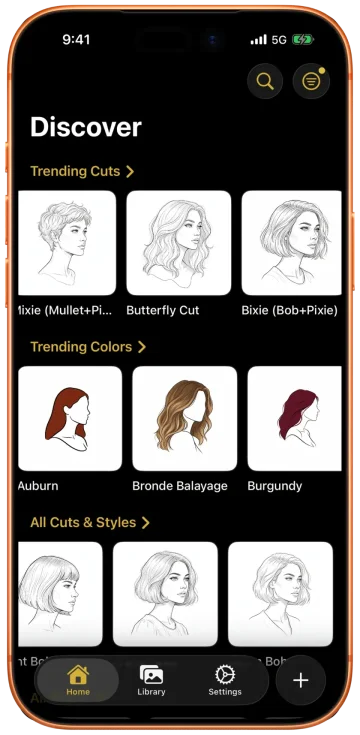
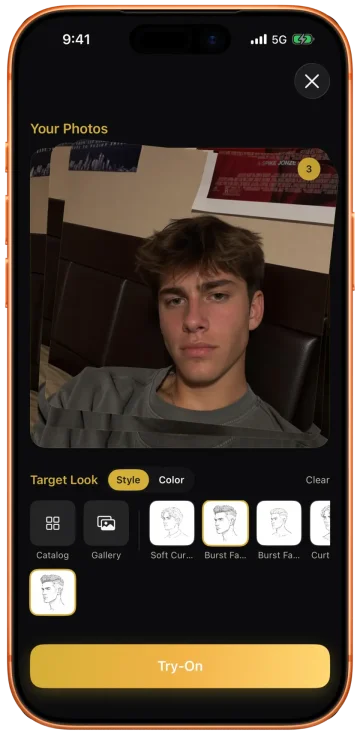
Every prompt above depends on the model guessing your coloring from pixels, one conversation at a time. Glancely reads it once and keeps it: the Glancely Analysis reports your undertone, your tone depth, your current hair color down to a hex code, and the hair color directions that fit, each with a fit score and the reasoning written out. It checks your photo first, flagging filters, low light, or heavy makeup and asking for a retake before it reads anything. Then it shows the shades on your own hair.
The Three Ways a Chatbot Color Analysis Goes Wrong
Good prompts reduce these. They don't remove them, because they come from how a general model reads a photo.
- It reads the light, not your skin. The model only has pixels, and pixels carry the color of the room. A photo by a lamp at night and a photo by a window at noon will describe two different people, and the model has no way to know which one is you.
- It wants to please you. General chatbots lean toward pleasant answers. Ask what suits you and you'll get a palette that could flatter almost anyone; the "colors to avoid" prompt exists to push back on that.
- Its label drifts between runs. Undertone tends to hold. The season, which rests on clarity and contrast, can change from one photo to the next, and the model announces each version with the same certainty. That's why every prompt here asks for a runner-up and a confidence rating.
None of this makes the exercise pointless. It means the chatbot is a good first opinion and a poor final one — and that the more expensive the decision, the more the read underneath it needs to be measured rather than guessed.
Where a Prompt Guesses, Glancely Measures
For a wardrobe question, a well-prompted chatbot and an afternoon of fabric tests will get you most of the way. For hair color — where a wrong answer costs a correction appointment and months of grow-out — you want the read done the same way every time, and the result shown on you.
A Color Analysis Prompt (ChatGPT, Gemini)
- Reads whatever light the photo was taken in
- Starts from zero in every new conversation
- Hands you a palette, then leaves the rest to you
- Can't show a hair color on you without redrawing you
- Leans toward the flattering answer
The Glancely Analysis
- Checks the photo first and asks for a retake when the light or a filter would skew it
- Reads undertone as warm, cool, neutral, or olive, and depth on a five-step scale
- Records your current hair color down to a hex code
- Ranks the color directions that fit, each with a fit score and its reasoning
- Renders each shade on your own hair, front, side, and three-quarter
Glancely treats color as part of one read of you. The same selfie that gives it your skin undertone and depth also gives it your face shape and hair type, so the colors it ranks start from your skin and your current shade together. It reads past the undertone itself to your skin's luminosity and evenness, and every color direction it suggests comes with a fit score and the reason behind it.
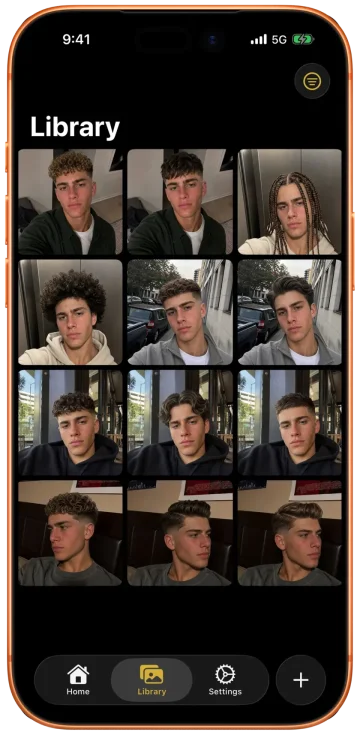
Then it does the part a palette can't: it shows you. Pick a candidate from the ranked list or the catalog and Glancely changes the color on your own hair, keeping your face and skin as they are, so you're judging the shade against the real you rather than against a redrawn portrait. Save the finalists side by side and you walk into the salon with a named, reasoned ask instead of a screenshot from someone else's head.
That's the difference in one line: a prompt guesses your coloring from one photo at a time; the Glancely Analysis measures it, ranks the colors that fit, and shows them on you.
Questions People Ask
What is the best ChatGPT prompt for color analysis?
One that asks for evidence before a verdict. Upload a bare-faced daylight photo and paste: 'Act as a professional color analyst. Before naming anything, describe the hue under my skin at the forehead, cheeks, and jaw, my overall depth, the contrast between my skin, hair, and eyes, and whether my coloring reads clear or soft. Then give my undertone, my two most likely seasons with what separates them, and your confidence in each.' Asking for the observations first is what makes the answer checkable.
Can ChatGPT do a color analysis from a photo?
It can give a useful read, especially of undertone, if the photo is honest: indirect daylight, no makeup, no filter, and a white reference at your collarbone. What it reads, though, is the photo, not your skin, so warm bulbs, phone beautify modes, and foundation all change the answer. Run it twice on photos from different days and trust only what repeats.
Do these color analysis prompts work in Gemini?
Yes. The prompts are written as plain instructions, so they work the same in Gemini, ChatGPT, or any chatbot that accepts a photo. Gemini is also handy for the visual drape test, since it can edit the uploaded photo in the same conversation. Whichever you use, start a fresh chat for the second run so the model isn't anchored to its first answer.
Why does ChatGPT give me a different season every time?
Because the season depends on the subtlest parts of your coloring — chroma and contrast — and those shift with white balance, lighting, and compression from one photo to the next. The model also prefers a confident answer to an uncertain one. Ask for your two most likely seasons and what separates them, and lean on the undertone, which is the most stable part of the read.
What is a good ChatGPT prompt for hair color analysis?
Ask it to work from your undertone and depth to named shades: 'Based on the undertone and depth you read from my photo, name three hair colors that would suit me and two that would fight my skin, using colorist terms — level and tone, e.g. level 6 neutral brown, level 8 golden blonde — with one sentence of reasoning for each.' Then preview the finalists on your own photo before you book.
Is there an app that can give me a color analysis?
Yes. Glancely is free to download on iOS, and its Glancely Analysis reads your skin undertone as warm, cool, neutral, or olive, places your tone depth on a five-step scale from fair to deep, records your current hair color down to a hex code, and ranks the hair color directions that suit you with a fit score and the reasoning for each. It then shows those colors on your own hair.
Bottom Line
A color analysis prompt works when it makes the model show its working: an honest daylight photo with a white reference, observations before labels, a runner-up season with a confidence rating, and a second run in a fresh chat. Keep what repeats, usually the undertone and depth, and treat the rest as a shortlist rather than a verdict.
Then put the result to work on one real decision. If that decision is your hair color, skip the guesswork at the expensive end: let Glancely measure your undertone and depth, rank the shades that fit, and show them on your own hair before anyone mixes a bowl of color. It's free to download on iOS.
Read Your Undertone, Then See the Shade
One selfie. Glancely checks the photo, reads your undertone and depth, ranks the hair colors that fit, and renders them on your own hair. Free on iOS.
Download Glancely